


On-course GPS navigation
Distances to the green and selected pin position in metres or yards. The app displays GPS accuracy and flags approximate measurements where the green's geometry is incomplete.
 golfactiveDesigned in Europe
We build an interactive map of your course with GPS distances, a scorecard and information about your facilities. Players open it from a QR code or link, without installing an app or creating an account.
01 On the course
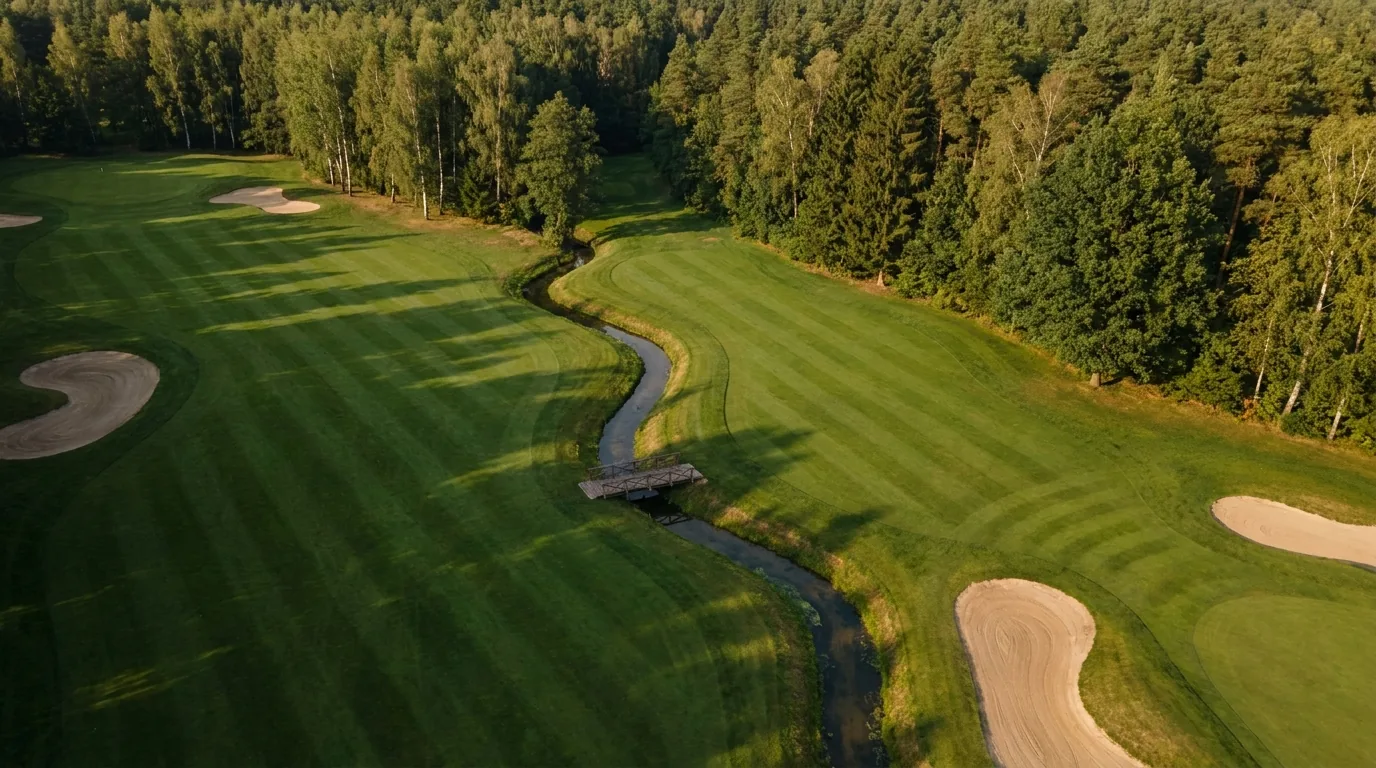
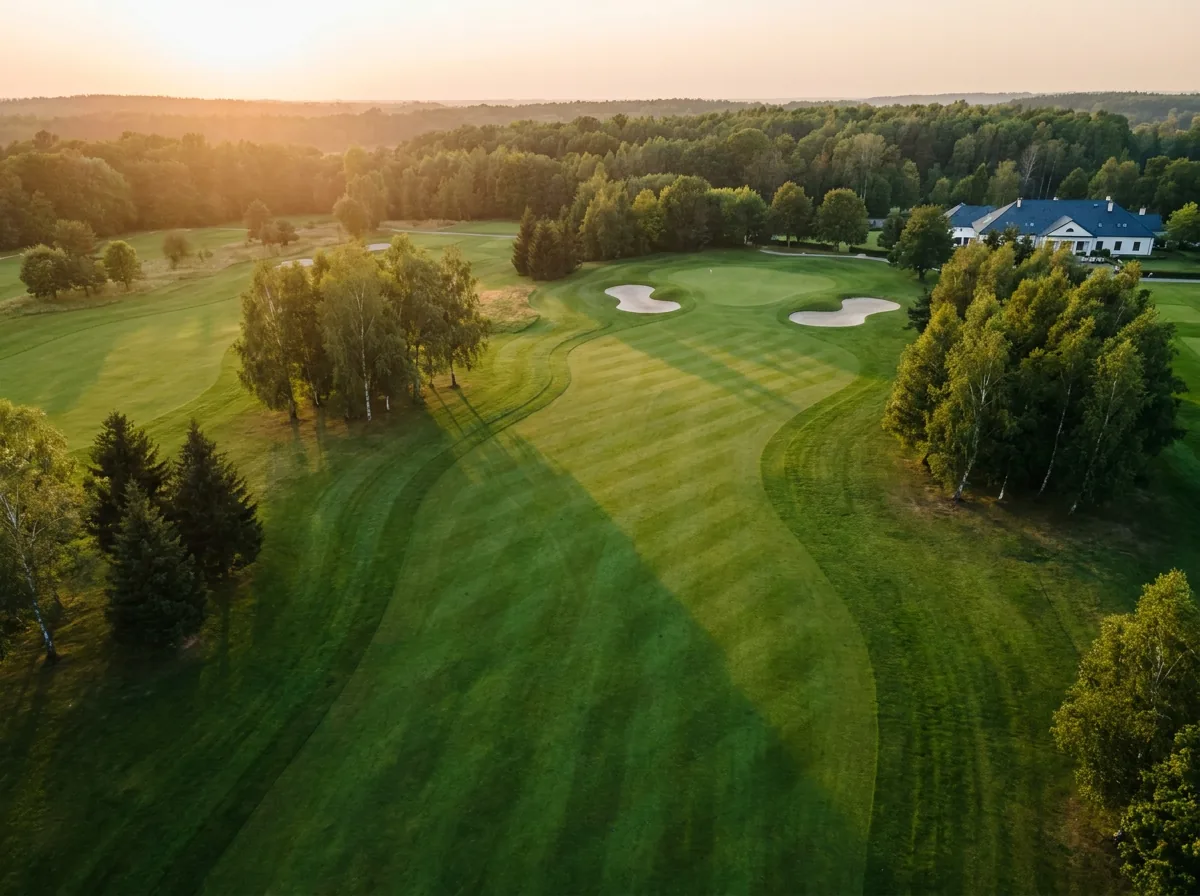
A first-time visitor needs more than a hole number. They need the distance to the green, a view of the bunker beyond the rise and directions to the next tee. Golfactive brings that information together on a map built for your club.
Players can check distances to the front, centre and back of the green, plus the selected pin position. Measurements use their GPS location or a chosen tee.
The map shows bunkers and water on the selected hole. Distances to the near and far edges of a hazard help players plan their shot.
The driving range, pro shop, restaurant, parking and toilets can all appear on the same map, with photos, opening hours and contact details.
The course overview helps players find their next tee. With GPS enabled, the app can switch the active hole as they move around the course.
When a green is rebuilt, a tee moves or a facility changes, send us the update. Map revisions are included in the subscription.
Once the course data has downloaded, the course map, GPS distances and scorecard can work offline. Players should open the app while they have an internet connection before heading out.
We prepare the map from your club's materials and send it to you for review before publishing.
02 The app
These screenshots show the working app: hole distances, shot planning, group scoring and facility information. They use a fictional demonstration course.
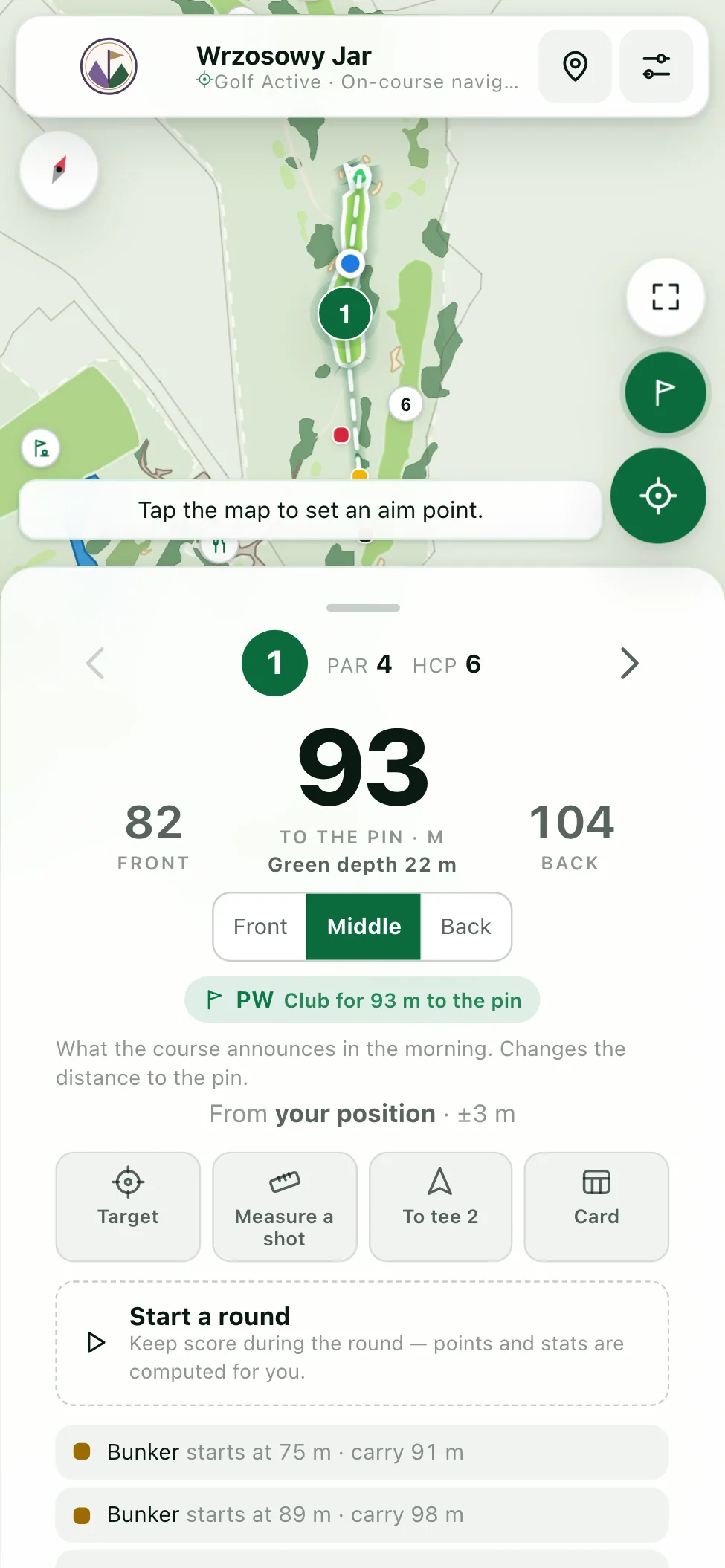
Front and back distances appear alongside the distance to the selected pin position. Players can use their GPS location or check distances from a chosen set of tees.
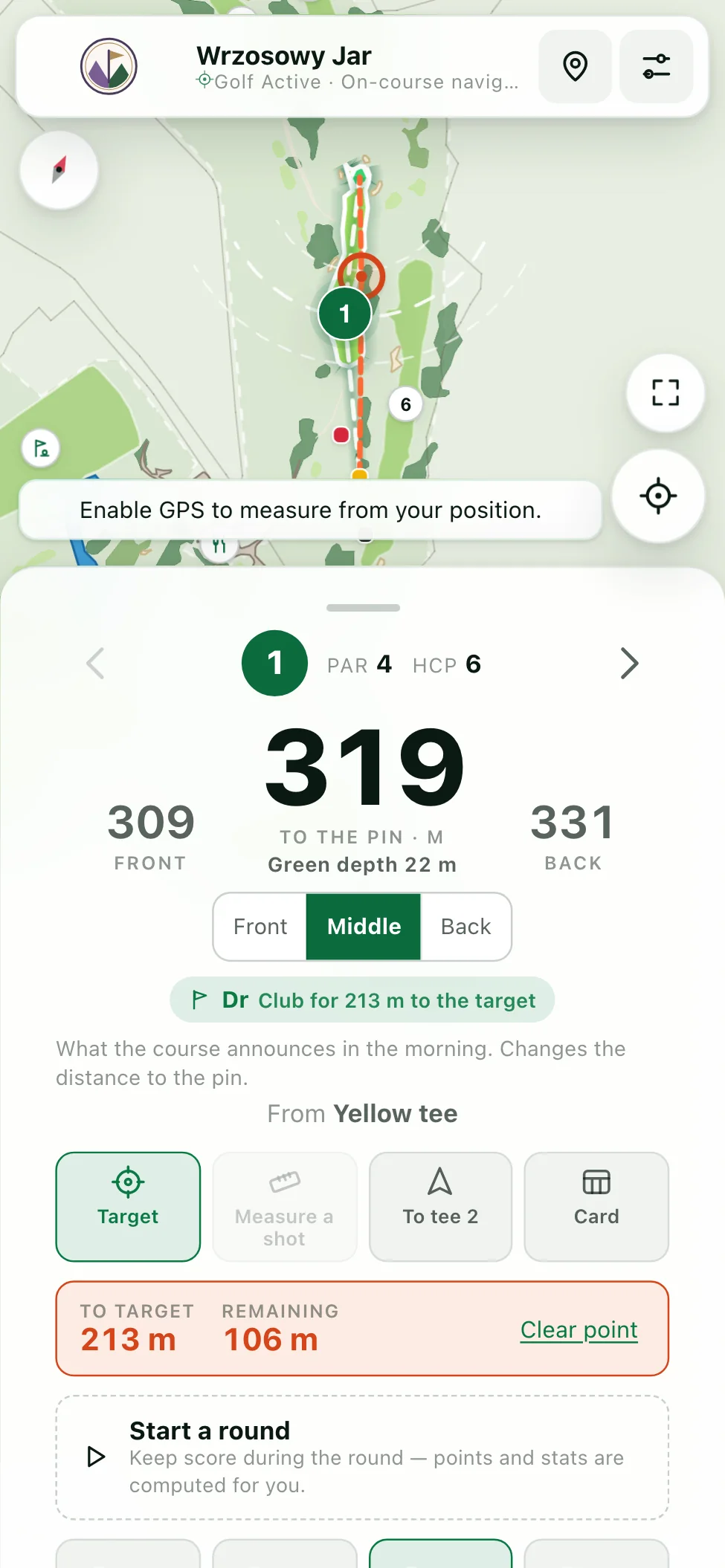
93 m · accuracy ±3 mTap the map to set a target and see both the distance to it and the distance left to the pin. Players can also measure completed shots and record their club distances.
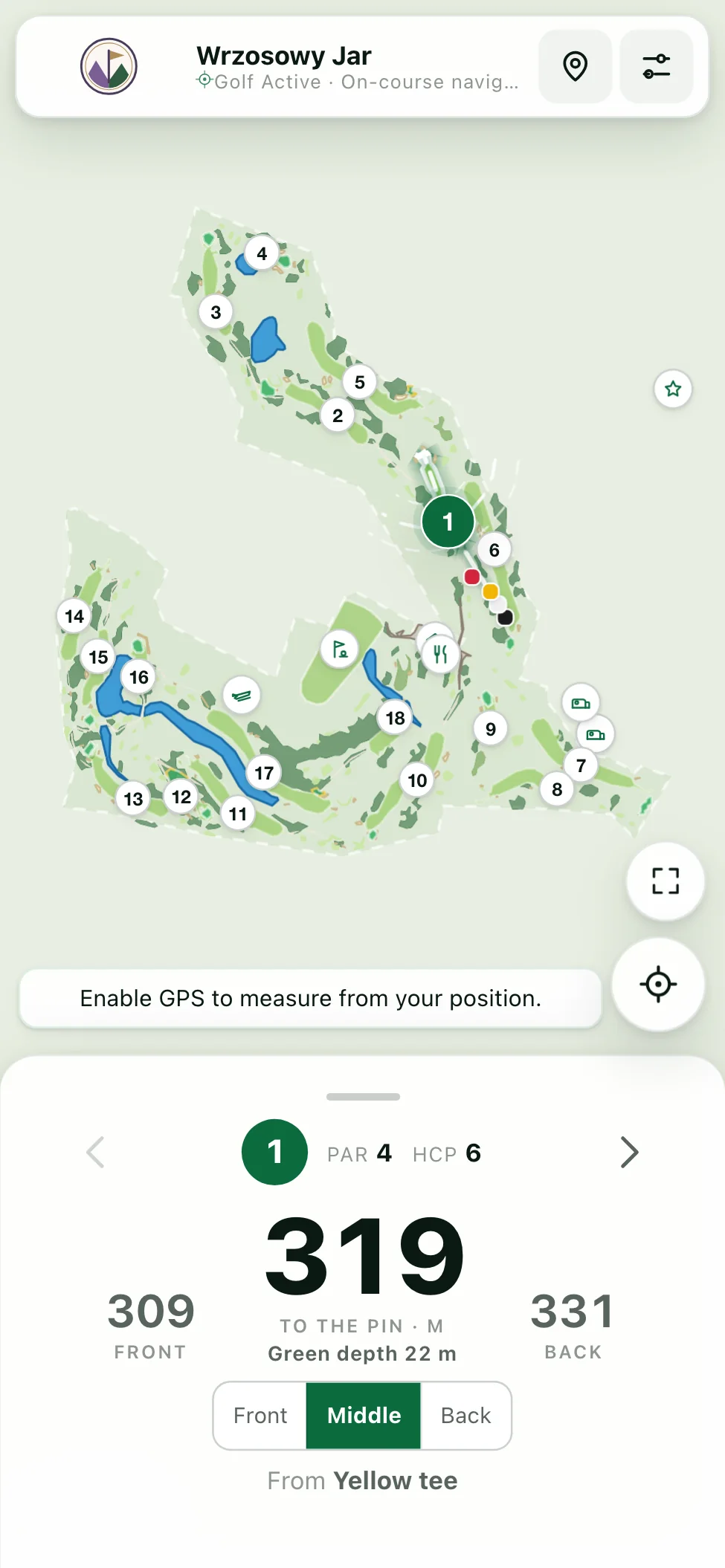
To target 166 m · 112 m leftThe overview shows the layout of the holes and club facilities. Tap a hole number to open its distances and details.
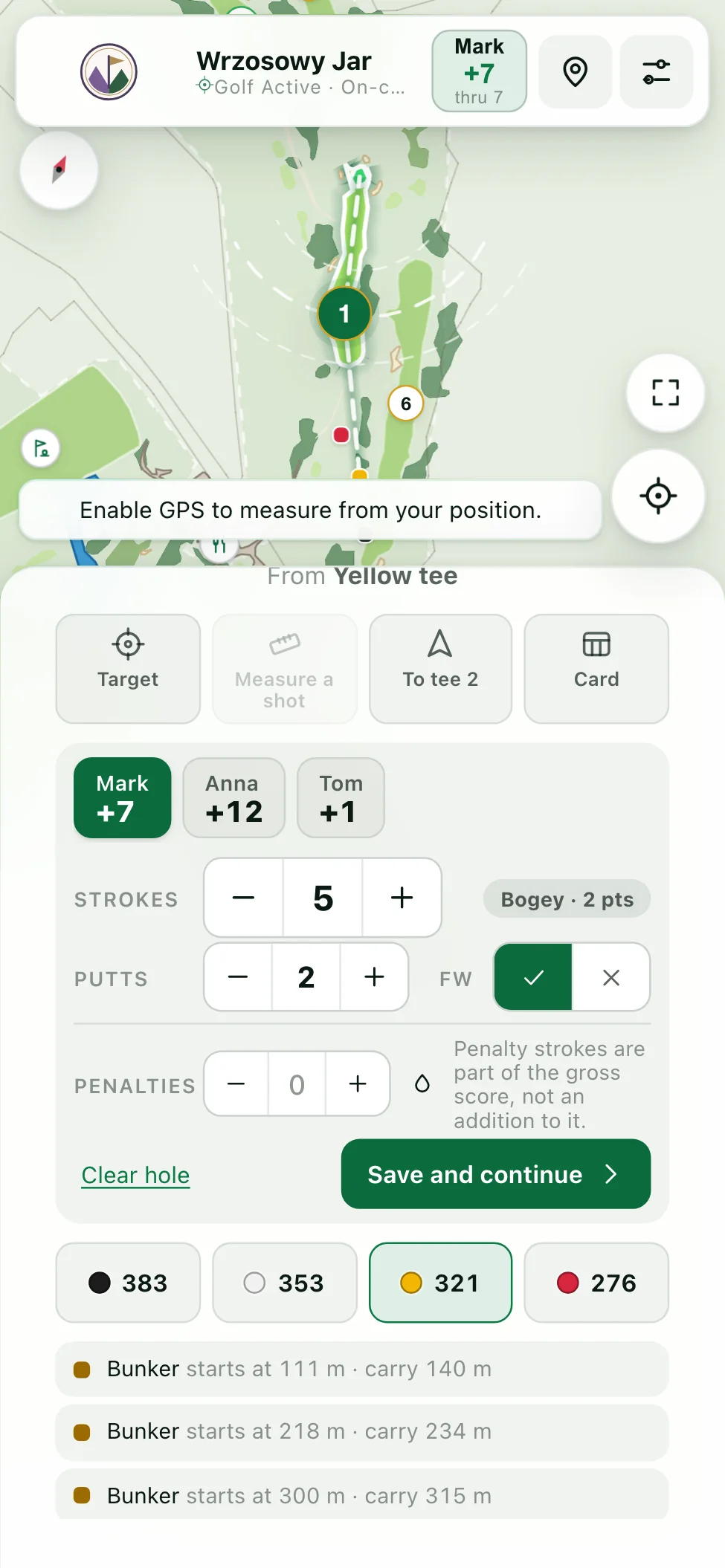
18 holes · PAR 72One phone can keep score for up to four players, each with their own handicap and tees. The tabs above the score entry switch between players.
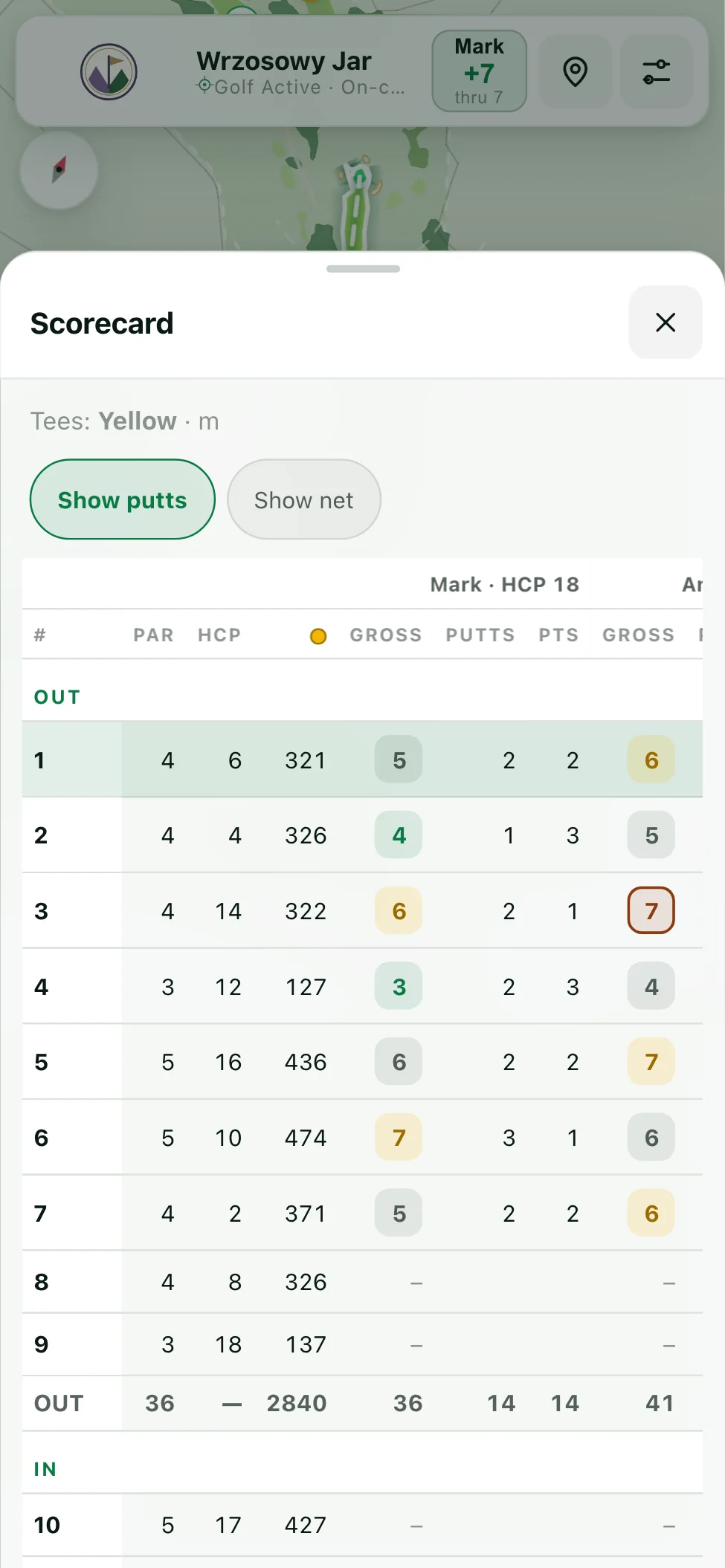
2–4 players · own handicap and teesThe card lists par, stroke index and hole length. Players enter strokes, putts and penalties; the app calculates totals and Stableford points for a 9- or 18-hole round.
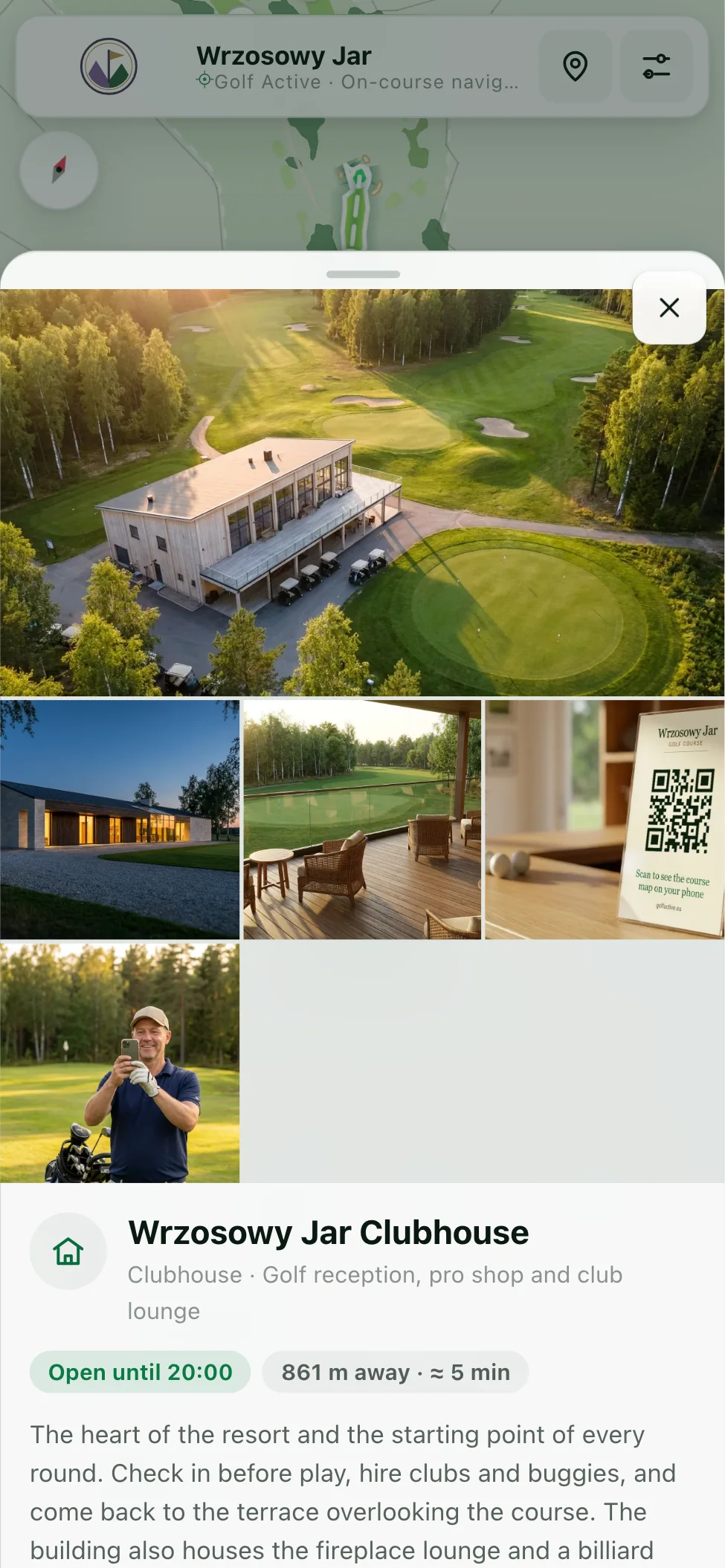
OUT 36 · yellow tees 2840 m · PAR 72The restaurant, practice facilities, accommodation and other locations have their own cards with photos and visitor information. The map also shows their distance from the player.
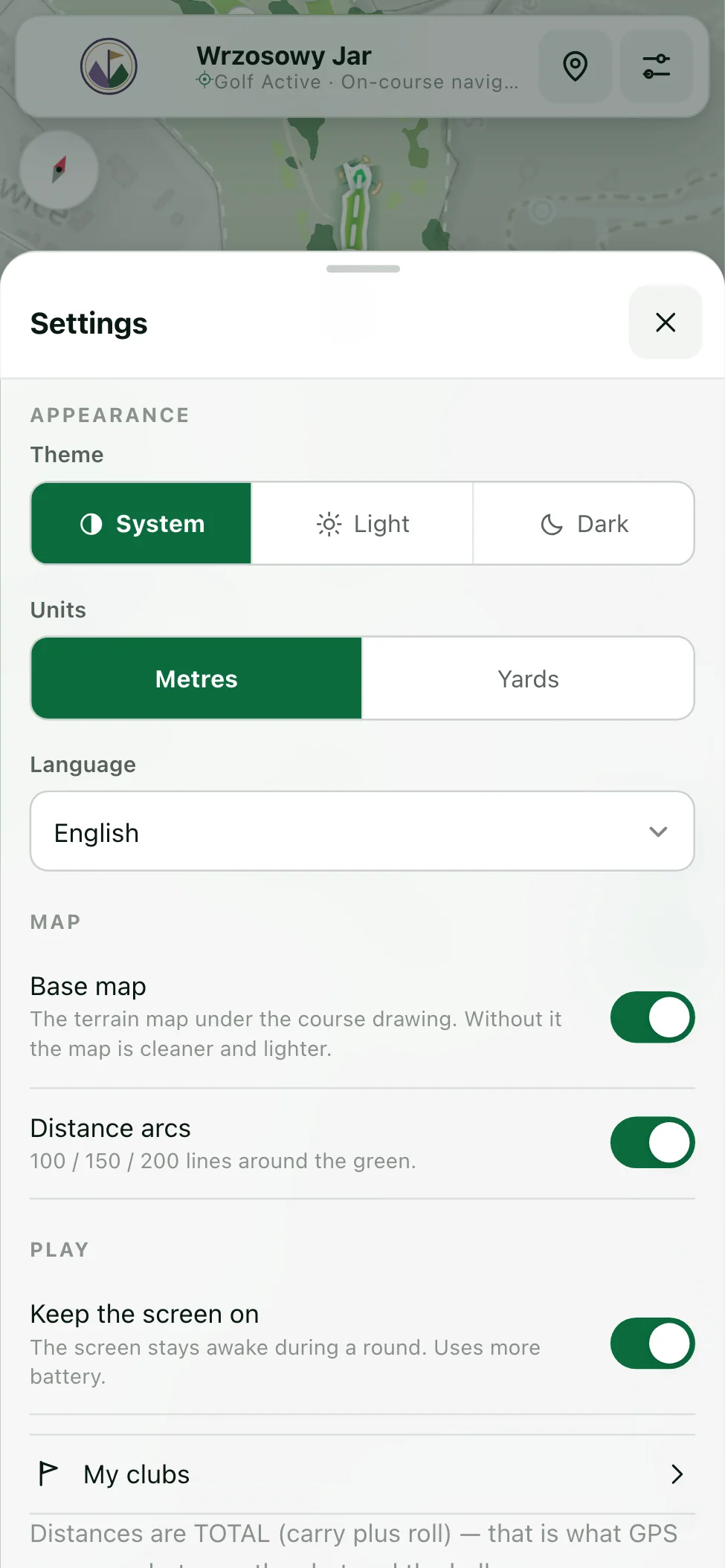
7 facilities · live distancesPlayers choose their language, metres or yards, and a light or dark theme. Map options and a keep-screen-on setting are also available. Preferences are saved on the phone.
Light and dark · m / yd03 Navigation
The recording shows a working session: changing holes, checking distances, setting a target and entering scores.
With GPS enabled, distances update as the player's position changes. The screen also shows the accuracy reported by the phone.
A target on the map shows the distance to a planned landing point and the distance remaining to the pin.
One person can enter strokes, putts and penalties for the group. Totals update as scores are added.
Once the course data has downloaded, the course map and scorecard are available offline. The phone's GPS can determine its position without an internet connection.
04 Features
Distances to the green and selected pin position in metres or yards. The app displays GPS accuracy and flags approximate measurements where the green's geometry is incomplete.
Up to four players on one phone, with individual handicaps and tees. One person can keep the card for everyone.

We enter the pars, stroke indexes and lengths from your scorecard. Before publication, your club reviews the tee assignments and each hole's layout on the map.
A target on the map shows the distance to that point and the distance left to the pin.
Record strokes, putts, penalties and fairways hit. Net scores, Stableford points and round statistics are calculated from those entries.
Players can export the scorecard as an image or text and share it through the apps on their phone.
Choose a full round, the front nine or the back nine. The card uses the selected holes, player handicaps and stroke indexes.
Photos, opening hours and locations for dining, accommodation and practice facilities. Your club chooses which places and details to include.
The app supports nine languages, metres and yards. Players choose the settings that suit them, without creating an account.
Downloaded course data and round records stay on the phone. GPS distances and scoring remain available offline; the basemap is limited to areas already downloaded.
A QR code or link opens the app in the browser. Players can also add it to their home screen for their next visit.
Two colour schemes for the map and interface, selected in the app's settings.
On the course
Distances, score entry and the round summary are all in the same app, ready when the player needs them.
Check the distance to the green, hazards in play and a chosen target.
Enter a score for yourself or the other players. Points and totals update automatically.
Review the results and share the scorecard with the group.
05 Privacy
No account is needed to play. GPS positions and scorecard data are processed on the player's device.
Stays on the player's phone
Clearing browser data removes saved rounds and preferences. We do not keep a server backup.
Round data on our server
None.
We do not receive GPS positions, scores or names entered on the card. The app has no analytics or advertising. To download the app and map, the phone connects to hosting and basemap services.
Players decide whether to share their scorecard. They can send it as an image or text using their phone's sharing options.
06 Rollout
We start with your current course plan and scorecard. Once we have reviewed them, we agree the scope and timing with you.
We align the plan to geographic coordinates using identifiable points. We discuss any unclear areas with your club.
result: a positioned course planWe map fairways, greens, bunkers, water, trees and paths as separate features, then add facilities and visitor information.
result: a map of your courseWe add tees, playing directions, pars, stroke indexes and hole lengths. Your club receives a preview to review and can request corrections before publication.
result: a map that matches your cardAfter approval, we publish the app at yourclub.golfactive.eu. We prepare a QR code, and you can add the link to your website and booking confirmations.
result: yourclub.golfactive.eu07 Who it's for

A map under your club's name and address, with your logo and visitor information. You send updates directly to us and receive QR materials ready to print.

GPS distances, hole previews and group scoring in one place. Players use the app free of charge; the club pays the subscription.
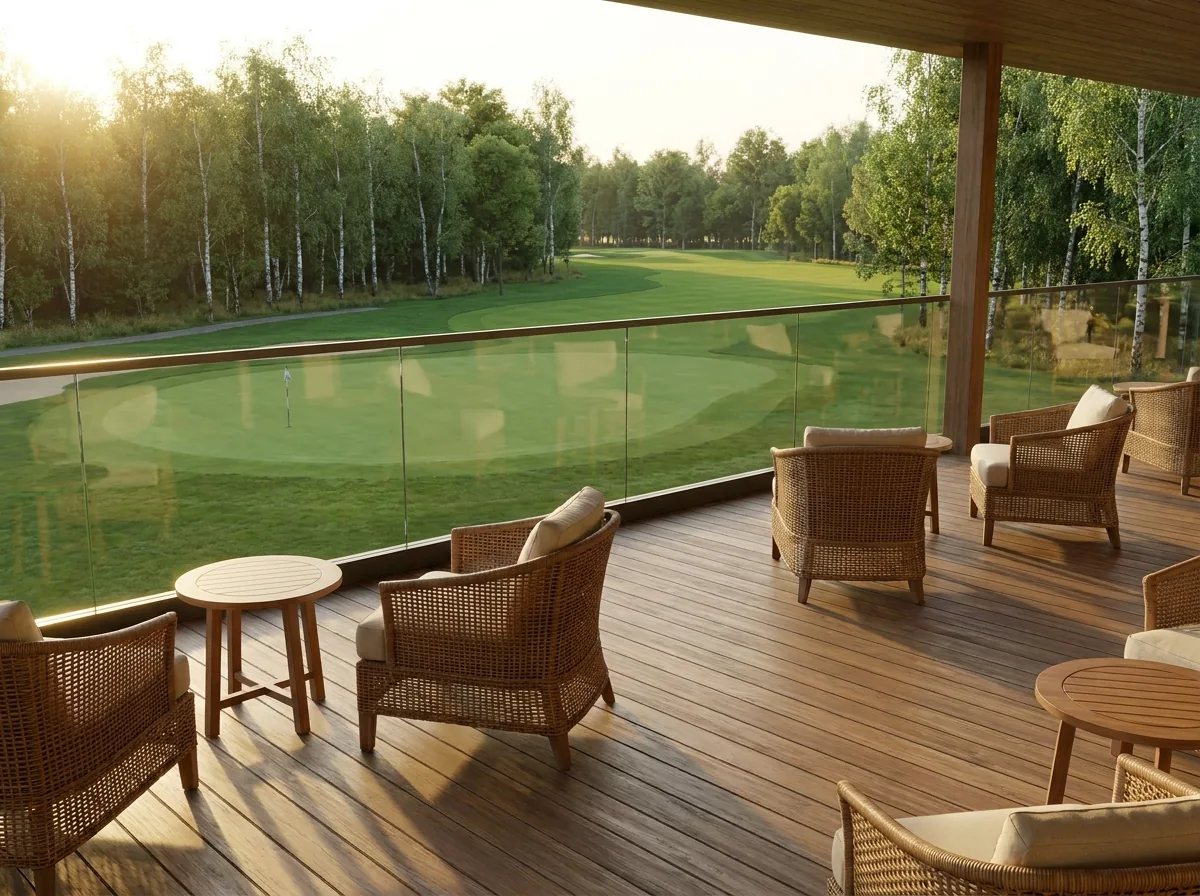
Guests can locate the restaurant, accommodation or driving range and check the details before heading over.
Access
Use the same link on a QR sign, your club website and booking emails. Guests can open the map before arriving or at the first tee. For offline play, they should let the course data download before losing their connection.
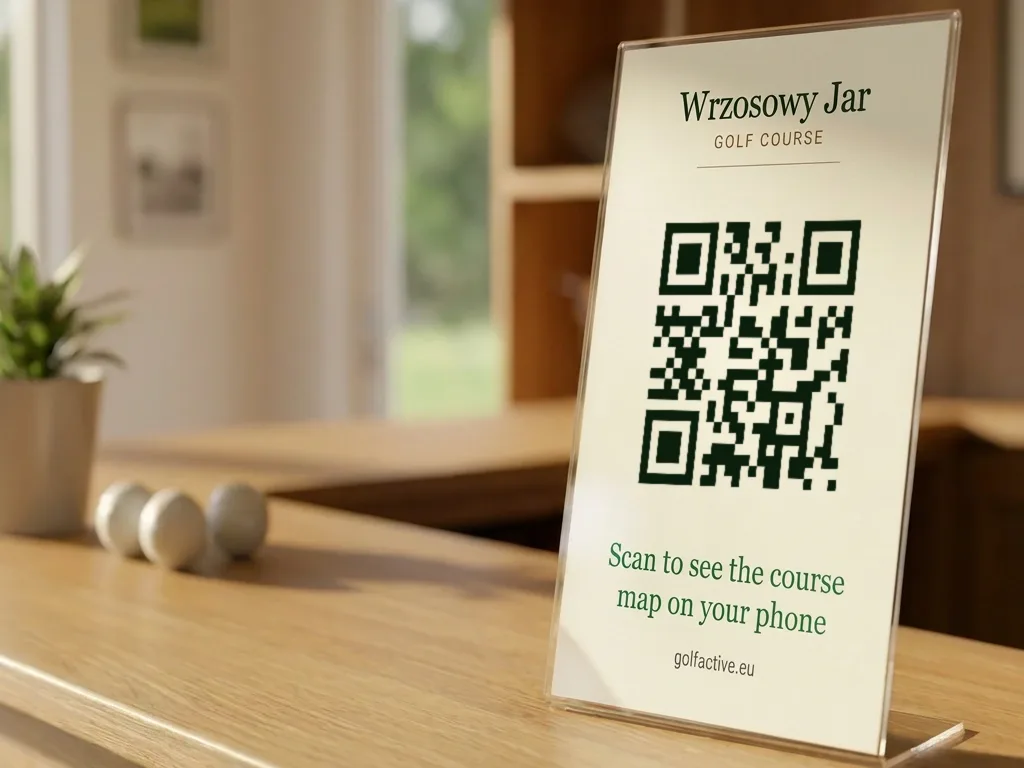
We prepare print-ready QR materials for reception and the first tee. Scanning the code opens the map in the phone's browser.
A link in the booking confirmation lets guests explore the course layout and facilities before their visit.
A button beside your booking link opens the interactive map, so visitors can explore the course before choosing a tee time.
08 Pricing
The subscription covers map preparation, maintenance and access for all players. Send us your course materials and we will return a quote with a demo. The fee does not depend on the number of rounds played.
golfactive.eu · one course
Price on request net, whole course quoted by return email
No fixed-term contract.
You can cancel at any time, with no notice period or cancellation penalty.
One subscription covers the course and all its players.
Map preparation is included.
Map preparation, revisions after course changes, updated photos and facility information, and technical support.
setup and updates includedWe prepare a combined quote for operators with several courses. Include the clubs you want to cover in your enquiry.
one quote for the whole group09 Questions
No. A QR code or link opens the map in the phone's browser. There is no app-store download or account to create.
Players can add the app to their home screen for easier access on their next round. Offline use requires the course data to have downloaded first.
The app runs at yourclub.golfactive.eu. Your club's name and logo appear in the top bar. We also customise the accent colour and QR materials.
The map uses a consistent colour palette across the product. A small expandable Powered by Golfactive label remains on the map and links to our website.
We use your course plan, scorecard and supporting materials to map the holes, hazards and facilities. Your club reviews the finished map before it goes live.
Readings depend on the map data and the phone's GPS accuracy. The app shows the accuracy reported by the device; trees, buildings and reception conditions can affect it.
During preparation, we compare hole lengths with your scorecard. This helps keep the data consistent, but it is not a land survey and does not imply centimetre-level GPS accuracy.
Check the organiser's rules on distance-measuring devices before a competition. A feature being available in the app does not mean it is permitted in that event.
This is particularly relevant to club suggestions. Do not use them if the competition rules do not allow them.
Yes. The scorecard supports up to four players with individual handicaps and tees. One person can enter the group's scores on their phone.
After the course data downloads, the hole map, GPS distances and scorecard remain available. The basemap shows previously downloaded areas; new areas need a connection. Open the app before the round while you still have reception.
The service terms provide for 99.5% monthly availability. During a hosting interruption, previously downloaded data can still support offline play. Opening the app for the first time requires a working connection and access to the service.
Usually within two weeks of receiving the plan and scorecard. Timing depends on the completeness of the materials and your club's review. The subscription starts once the finished app is live.
We do not create player accounts or receive round data. GPS positions are processed on the phone; scores, names, handicaps and preferences are stored locally. Clearing browser data also removes those records.
Our Privacy Policy and Terms of Service for Clubs explain how data and service provision are handled, including hosting.
Your club gets one place for hole layouts, distances, scoring and facility information. You can give visitors a simple link and send map corrections directly to us.
The demo lets you judge whether this works for your course and your visitors. Try it on a phone before deciding.
Tell us which club you represent and attach your course plan and scorecard. We will prepare a preview and a quote for you to review.